Minimap
Web pages
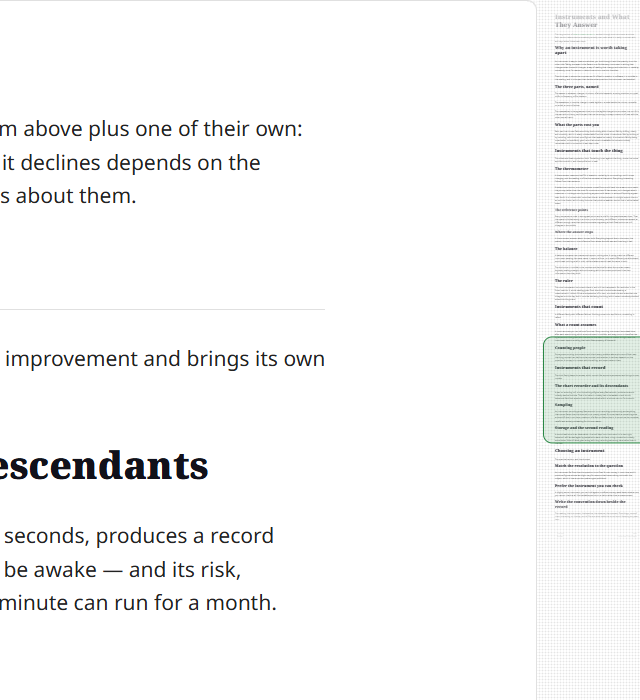
A web tab keeps the same rail beside its live page. The rail draws a picture of the whole page after it paints and replaces the picture when the page changes height. Its position box follows scrolling without taking another picture. A page too long to draw at its own width is drawn smaller, so its text shows as bands that still mark where its sections start and end, and the box follows it all the way down. Click the rail to jump, drag the box to move through the page, or scroll over the rail. At a window width of 720 pixels or less, the live page uses its own scrollbar.
Take in the whole page at once. A tiny version of your document runs down the side — real text, not abstract bars — with a marker showing where you are. Click to jump to any section; drag the marker to scroll; turn the wheel over the rail and the page scrolls just as it does under the pointer.
Summary
| Feature | What you get |
|---|---|
| Real text | A scaled clone of the rendered page, not a synthesized pattern of lines — so you recognize a section by its shape |
| Viewport indicator | A box marking what is on screen; click the rail to jump, drag the box to scroll, turn the wheel over it to keep scrolling |
| Laid out like the page | The clone is given the reading column's own width, so a wide table in the thumbnail wraps where it wraps on the page and the picture ends where the document ends |
| A deck's slides | Beside a slide deck the rail is divided one stretch per slide, each numbered, over the same real thumbnail |
| Whether it appears | Skipped entirely for an empty document; shown for every format, including XML, JSON and YAML |
| The code view's rail | The editor's own map of the source, always present there |
| Responsive widths | The lane narrows with the window, and gives way to the self-hiding scrollbar at 720 pixels and under |
| Always there | The rail is the primary scroll indicator, present for every non-empty document in any window wider than 720 pixels |
| On an exported page | A page exported as a web page carries the rail too, so whoever you send it to can see the shape of the whole document |
What it is
The minimap is a scaled side-rail showing the actual document beside the reading view. It sits outside the page rather than on it — the page's border stops 4 px short and the rail stands on the same textured chrome as the library pane and the app bar, held off the window edge by the same gutter the page card is, and starting level with the top of that card so the two read as one object. It gives you spatial orientation in long documents and lets you jump to any section by clicking or dragging. Because it is a real rendering of the page, you can recognize where you are from the shape of the text itself: a heading, a code block, a verse, a dense paragraph.
How it works
The minimap clones the rendered document and shrinks it to the rail width with a CSS transform — a scale(...) to the rail width, plus a vertical nudge so the thumbnail lines up with where the real content begins — the way a code editor's minimap does. The clone is laid out inside a box the same width as the reading column and carrying the same container query, so anything in the document that measures itself against that column wraps in the thumbnail exactly as it wraps on the page. A wide table is the one thing that does, and without that box it measured the whole window instead: every wide table in the thumbnail was drawn wider than the page draws it, so the picture wrapped less, ended short of the bottom of the rail, and a click low on it landed further down the document than it pointed. What you see in the rail is a real (very small) copy of the page, so the text that is actually there is what shows up. A picture from your own disk is drawn there from a small copy of the same file, at most 384 pixels wide, made away from the window by the system's own picture reader and held to the box the full picture takes, so a document full of full-page screenshots does not hold every one of them twice at full size; the page itself, the picture sheet, copying and export all use the file. A picture that cannot be made small — an animation, a damaged file, one too large to read safely — and a picture from the web are drawn from the file itself. The clone is stripped of links, of the two grips a pointer over a table puts in the page, and of ids so nothing in it is focusable or duplicated for assistive technology, and the whole copy is marked inert so the keyboard cannot land in it either — except the ids inside a diagram, which it keeps: a Mermaid diagram scopes its own colors and arrowheads to its SVG's id, so a stripped copy drew black shapes with no arrowheads. It inherits the active theme through the shared stylesheet, so switching light/dark needs no rebuild. The one thing it does not inherit is the dot grain every tinted cell wears: the page pins that texture to the window so two surfaces meeting share one grid and no seam shows between them, and a texture pinned that way answers the nearest scaled thing above it instead — so inside a clone that is scaled, every grained cell would leave the page's one grid and become a picture of its own to repaint on each frame. The clone's cells carry their texture with them, the page's own keep the pin, and the rail is drawn the same either way. With leaf bullets on, the clone draws its list items without the leaf: at the rail's scale a leaf is under a pixel across, and repainting one on every item made a quick drag down a long bulleted note drop several times the frames the same note costs without it. A diagram nobody has drawn yet is a blank block of the right height in the rail, and never a spinner — dozens of them turning down a rail a few hundred pixels wide is motion with nothing behind it.
The thumbnail dissolves into the rail's dot grain at its top and bottom edges, and each fade stops at the viewport indicator so the miniature page inside the box stays crisp.
A whole HTML page is the one document the rail does not clone. It is drawn as the page its own CSS makes, inside a frame of its own, and a frame cannot be cut in half — so the rail carries one more frame holding the same page, scaled down, built once when the document is drawn and left alone while you scroll. Everything below about slices and rebuilds is about the clone; that second frame is laid out once. What it does follow is a picture: replace a picture beside the page on disk and the rail's copy is given the new file at the same moment the page is, so the two never disagree about what is there.
On a document taller than the rail, the clone holds the slice the rail can actually show rather than the whole page. The rail is a few hundred pixels over a thumbnail that on a large glossary is hundreds of thousands of pixels tall, so a whole-document clone is almost entirely off-screen — a second copy of every element on the page, which is enough to make each wheel click cost the better part of a second. The window carries a rail's worth of document above and below what is visible, so you can scroll that far before it is rebuilt — except while you are typing, when it carries only what the rail can show. A letter typed inside a block the picture already holds — a paragraph, a heading, a cell — is drawn straight into the rail's copy of that block, in the same frame the page lays it out, and nothing else is rebuilt; where the letter wraps a line, the rows under it move in the copy exactly as they move on the page. Anything else a change to the words does — a block added or taken away, a change in a block the picture does not hold that moves the page, a letter in a code block or a diagram, which the rail draws from the whole box — rebuilds the slice. The whole of a rebuild is the browser laying that slice out, and the cost falls with the rows in it, so that rebuild draws the rail's own screen and nothing either side; a moment after the typing stops the rail draws once more with the room to scroll into put back. A further change to the words cancels that and books its own, so the rail never widens onto a document that has moved on. When one block is taller than that whole window, as a long table or a source file's highlighted block can be, the slice cuts inside it and puts the cut lines back inside shallow copies of their original wrappers so they keep the page's rendering. Each of those wrappers keeps whatever else of its own the window reaches, so a table the window cut into near its top still wears the header row the page draws above that place rather than a body with nothing over it. The rows the cut reaches are found by halving over where each row ends, which is sound only where rows stand under one another — and a table's lane also holds the two corner buttons standing over the table's own top, so where a cut from lower down lands the halving on those and it answers no rows at all, the search reads every child of that one level once and carries on into the table, rather than drawing an empty lane and claiming the whole table for it. And where the window reaches out past that block's own edge, the rows on the far side of it are carried in beside the block rather than inside it, so the picture holds both sides of the edge instead of stopping dead at it. A carried row that itself runs off the end of what was asked for is cut the same way rather than going in whole: where one long table follows another, the row carried in beside the block is an entire table nobody can see, and taking only the part of it the rail reaches halves the rebuild at that boundary. The cut stops at a table’s own rows — the cells of a row sit beside one another rather than down the page, so the last row the window touches goes in whole with every cell in it and the rest of the table stays out. A side cut that way is measured to what the window asked for rather than to the carried row’s own edge, because most of that row is not in the picture. Where the window reaches the first or last row it is measured to the ends of whatever it was cut out of rather than to that row's edge: the block's own edges where it cut inside one, the document's own ends where it did not. Where the window stops at a row short of the holder's end, it is measured to the facing edge of the row it left out, because the ground between the two is margin the page draws empty as well — so a view beginning just under a heading, in the space its margin leaves, is inside the window rather than the reason for a second rebuild at every letter. The space above the first row and below the last is that holder's own padding, which no clone of the rows can hold, so sitting at the very top or the very foot is inside the window and not a reason to rebuild — and a slice that claimed the document's ends from inside a block would say it held ground it has no rows for, which is a rail that stays blank because nothing ever asks for it back. It is still a clone of the real rendering, so the rail shows real text rather than a synthesized pattern of lines; and on a document the rail can show in full the window is the whole document, which is why none of this depends on a size threshold.
A viewport indicator overlays the portion currently visible; as you scroll, it moves in lockstep. When the document is taller than the rail, the thumbnail itself slides inside the rail (again, like a code editor) so the region around your position stays in view. Clicking anywhere on the rail scrolls the reader to that point in the document; dragging the indicator keeps the grabbed point under the cursor; turning the wheel anywhere over the rail scrolls the page by the same distance that notch moves it under the pointer, which is what a click or a drag leaves your pointer in place for. Either way the point you land on becomes the reader's recorded position (see Restore), so content that settles afterwards — images, diagrams, the Pager — cannot pull you back to where you started.
The clone is rebuilt only when it needs to be — when the document's content changes (live reload, or code highlighting, Mermaid diagrams, and math settling in), when images finish loading, when the rail resizes, when the reading column's own width changes, and when scrolling or a drag leaves the window it was built for. How much document a given rebuild slices is part of what it is asked for: a change to the content asks for the rail's own screen, a gesture asks for a quarter of a screen, and everything else asks for a whole screen either side. Dragging the window's edge or the library's divider is a gesture too: a thumbnail the new width can simply be handed is laid out again at that width rather than rebuilt, and only one that no longer reaches the screen is rebuilt, narrowly, until the edge has been still a moment. A gesture's quarter is not spent evenly: a hand dragging the box travels one way, and a rebuild takes long enough that the hand is past the slice it laid out — so seven eighths of that room goes where the hand is heading and an eighth stays behind it, which reaches nearly twice as far ahead for the same slice and the same cost. An eighth stays behind on purpose, so a hand that stops or jitters a pixel back is not standing on the window's own edge. A rest and a release both take the full room either side, which is what puts the ground behind the reader back once they stop. When a gesture is what left the window — the wheel, the keyboard, or the indicator held under the pointer — the rebuild is drawn while your hand is still moving, so the picture stays on the track for the whole of a flick or a drag down the rail rather than the track holding the box and nothing beside it. Laying a fresh slice out is the whole cost of a rebuild, and a gesture passes through hundreds of positions — so the narrow ask is what makes drawing at each of them affordable: a fifth of the layout a resting rebuild does, small enough to land on a frame your hand is moving through, wide enough that an ordinary scroll leaves it only every few seconds. A moment after the movement stops the rail draws once more with the room to scroll into put back, the way it does after typing. The reading column is on that list separately because it keeps growing with the window after the text has stopped widening at its measure, and a clone laid out against the old width would draw a wide table at the wrong size. A <details> opening inside the rail's own clone is not a change to the document: inserting a clone that holds an open one makes the browser announce it, and answering that announcement made the rail rebuild off its own thumbnail, once an animation frame, for as long as the file was open. Scrolling otherwise writes three inline values and nothing else:
- The indicator's
transform— where the visible region sits within the rail (atransform, nottop, for the same reason: the indicator moves every frame, and moving it by a layout property made the browser lay the rail out again to do it) - The indicator's
height— the reader window at the thumbnail's scale - The thumbnail lane's
transform— slides the thumbnail inside the rail on tall documents (atransform, nottop: the lane moves every frame, and moving it by a layout property made the browser re-lay-out the page to do it)
Each of those is written straight onto the element that draws it, never as a CSS custom property on the rail around them. A custom property inherits, so one write on the rail re-resolves style across every element of the clone underneath — a couple of thousand of them on an ordinary document, which measured 78ms a write against a fraction of a millisecond for writing to the element itself. The rail's own height is written the same way, onto the track.
A requestAnimationFrame-throttled loop writes those on scroll, and reads no geometry at all while doing it. The rail's measurements — the document's height, the thumbnail's scale, the rail's own height — change only when the content or the window does, so they are cached and dropped by the things that can change them; scrolling changes none of them. Re-measuring per wheel click instead forces a fresh layout of the entire document, which on a large file is the whole difference between a rail that follows the wheel and one that answers a second later. The indicator's position and travel come from the reader's exact scroll position over its scrollable height, and the indicator's height is the reader window scaled to the rail — so click-to-scroll and the indicator stay aligned with the thumbnail on documents of any length.
A complete HTML file keeps its own styles inside a contained page, so its rail is another contained rendering of that same page rather than a body clone the app would restyle. That second rendering is built once when the document is drawn; scrolling moves only the viewport indicator over it. Markdown and every other format keep the windowed real-page clone described above.
The wheel is not handled by Leaftext at all. The rail's column is itself a scroller, with a spacer below the thumbnail sized to travel exactly as far as the reader can, and the column's scroll writes the reader's position one to one — so a notch over the rail is the same gesture it is over the page, carried on the browser's own scrolling, and it moves the way the page moves rather than in steps. The thumbnail, the track and the indicator are pinned to the top of that column, so the travel never shifts the parts a click or a drag reads. The reader's own scroll writes the column back the other way, which is what leaves the column where a click on the rail, a drag on the indicator, the keyboard or a tab switch has just put the reader; while the indicator is being dragged the column's scroll stands aside, so a notch cannot fight the box being held. The column stands aside for that write too: a scroll event arrives a frame after the write that caused it, so while the page is gliding the column's event carries the position the page held a frame ago, and writing that back would pull the page backwards and cancel the scroll the browser is drawing. On a trackpad, where the page's position keeps changing frame after frame for as long as the glide lasts, that is the difference between a document that tracks two fingers and one that stutters. A render stands aside the same way: replacing what the column holds collapses it, so the browser snaps the column to its top and raises a scroll a frame later — a move the page made rather than a hand on the rail, and reading it as a gesture would take somebody half way down a document back to its first line the moment the file changed on disk. With no rail in the column, or a document short enough that the reader cannot scroll, the column has no travel and a notch there is the browser's exactly as it is anywhere else on the window.
The thumbnail is a second, scaled-down layout, so it cannot exist until the document itself has been laid out. Until it does the rail shows a small spinner rather than an empty lane — on a large document that build is a visible wait, and a blank rail beside a finished page reads as one that failed rather than one still working. The rail keeps that spinner while any Mermaid diagram in the document has still to be measured, since the thumbnail is a clone of the page and a diagram nobody has drawn yet has nothing for the clone to take. Every diagram is drawn once after the page settles, so that is one wait that ends when the last block knows its height, rather than a spinner returning on every scroll into diagrams that have not been drawn.
A deck's slides
A slide deck is not prose. It is eight or twenty-three fixed things, and what somebody scrolling one is looking for is the fourth of them — where a column of paragraph marks says only how far down the file you are. So beside a deck the rail carries a hairline rule where each slide starts and that slide's number beside it, and the thumbnail underneath is the same real page it is beside every other document. The stretch the viewport indicator sits in is the slide you are reading, and pressing anywhere in a stretch carries you into that slide, which is what the rail's press has always done.
Nothing new is a control and nothing else moves. The number is drawn only where its own stretch is tall enough to hold it; on a deck of very many short slides the rules divide alone. The first slide's stretch begins at the top of the page rather than at its heading, and its number dissolves into the rail's top fade the way the thumbnail does at both edges.
Both deck formats are divided this way, and every other document is untouched: the divisions are read off a mark the deck reader puts on the block each slide begins at, so a document that carries none gets none. A deck exported as a web page carries the marks with it, so its rail is divided too.
The ribbon bookmark
A small ribbon on the rail marks the deepest point you have read in a document. A block counts as read once it has been on screen for two seconds, and the ribbon stops where the screen stopped showing that block. It follows the same part of the document if a picture loads or a different font changes the page height after you quit and reopen it. In a book, the bookmark keeps the chapter you were in and how far into it, so it stays beside the same words however the book is laid out. The dwell is the same measure your Grove counts reading by, so a fling to the bottom does not mark the whole document read; the ribbon only moves down, never back up when you scroll back to reread. It is there for everybody, whether or not the reading record is on, and it is drawn in the page's own text color — near-black on a light theme and near-white on a dark one — so it stands out from the rail's gray lines on every theme. With Ribbon bookmark bought and switched on in the Grove, it takes the theme's accent instead.
Each document keeps its place after you quit and open it again: the app writes it to reading-places.json beside your settings, and a published site keeps it in your browser's own storage, never in a cookie, and never sends it anywhere. A file you rename or cut and paste in Leaftext takes its place with it. Pointing at the ribbon names it; right-click it and press Remove bookmark to clear that document's place, or pick the same entry from the page's own menu, which is how the keyboard reaches it. The ribbon comes back where you are two seconds later, without a scroll. A document shown inside somebody else's product keeps no place.
Whether the rail appears
The Rust side sends the page one flag, has_visible_content: an empty document says no and the rail is skipped entirely. Nothing else about the document is sent, because the thumbnail comes from the clone. XML and JSON/YAML documents are asked the same question of their rendered block HTML (they have no Markdown source to look at), so an opened .xml, .json, or .yaml file gets the same real-text rail as a Markdown file — the thumbnail itself is always the live clone, whatever the source format.
The code view's minimap
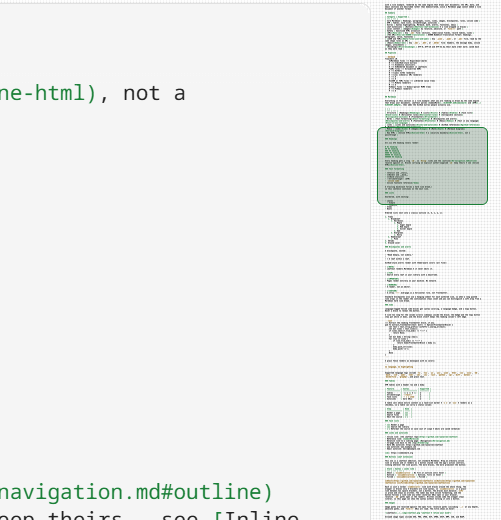
The code view has a rail of its own — the editor's, not this one. It draws the source rather than cloning a page, which is what lets it stay honest on a file far too large to lay out twice, and it is always present there: with no scrollbar in the source view, the rail is how you see where you are. The reader's rail and the editor's are two implementations of one idea, so they are dressed alike — the same viewport box, the same border and rounding, the same width and standing-off from the page.
Both rails are chrome, not page: they stand on the window's textured surface beside the card, and the page's own right border is the line between the two. In the code view that means the editor paints no background out there, the map's own drawing surface is transparent, and the editor casts no scroll shadow across the rail's top — so the chrome's dot grain shows through between the lines of the map, and the map reads as text on the window rather than as a second, differently-colored page.
The reading view's rail is a real clone of the page; the code view's is the editor's drawing of the source. They look and behave alike on purpose. The code view's is present whenever that view is open; the reading view's in any window wider than 720 pixels.
On an exported page
A document written out as a web page carries the rail with it. That is the copy somebody without Leaftext reads, and they have none of the other ways to see the shape of what they were sent — no library pane, no outline, no tab strip. The rail behaves the way it does here: the whole document shrunk down the right edge, a box marking what is on screen, a click to jump and a drag to scrub. Its thumbnail dissolves into the page's own color at both ends, without the window chrome's texture. The wheel over it works too, and by a simpler route: the browser scrolls the whole page there rather than a reader pane inside it, so a notch anywhere over the rail moves the document with nothing of ours in the way. It is the only thing on that page that runs, it fetches nothing, and there is no button to turn it off — the exported page carries no controls at all, and the first one would be the start of a control surface.
That copy holds the whole document rather than a window of it, with a folded section drawn the way the page draws it — its summary line and nothing under it — so a long chart of folded groups costs the rail no more than the lines you can see, and opening a group on the page brings its rows into the rail. It is rebuilt only when the picture it draws would actually change: the thumbnail is scaled by the reading column's width over the rail's, so a rebuild asks whether either of those widths or the document's own height has moved since the last one, and a window that changed only its height reuses the thumbnail already up and moves the rail and the box alone. That is the resize a phone makes every time its address bar slides away, and it used to clone the whole page twice.
The rail needs room, so it stands on a browser window 721 pixels or wider and is simply not there below that; a phone gets the document and its own scrollbar. Printing the exported page never draws it either, since a rail pinned to the window would come out on every sheet.
Responsive behavior
The minimap adjusts its preview lane width depending on the available space:
| Breakpoint | Preview width |
|---|---|
| > 900 px | 68 px |
| 721–900 px | 46 px |
| ≤ 720 px | no rail |
At 720 pixels and under — a phone, or a window dragged narrow — the rail gives way. The page takes the whole width and wears the reader's thin scrollbar, drawn while the page moves and gone a moment after it stops. It is the same edge an exported page drops its rail at, so a narrow window reads alike whichever host draws it. Widen the window past it and the rail comes back.
Always there
The minimap is not a choice. There is nothing to switch and nothing saved: in any window wider than 720 pixels it is the reader's scroll indicator, so turning it off left a page with no answer to "where am I in this". The window's width is the one thing that takes it away, and the scrollbar answers the same question there — see Responsive behavior.
Inside another product's frame, the document scrolls within that frame and the minimap stands beside it while the frame is wider than 720 pixels; a narrower frame reads with the scrollbar, the way a narrow window does. A wheel over either the document or the minimap moves the same page; pressing the minimap jumps through it.
With two documents side by side there is a rail per column, each drawn from the document beside it and each following that column's own scrolling: the rail is the scroll indicator, so a column without one would scroll with nothing to say where it was.
The rail still comes and goes with the document — there is none on the home screen, none while the graph is up, and none in a window 720 pixels wide or less. With no rail its column collapses to zero and the page widens back out to the window gutter, so no empty band remains, and the reader's own thin scrollbar comes back — drawn while the page is being scrolled and gone a moment after it stops. While the rail is present the scrollbar stays hidden, because the rail is that indicator.
Use the minimap to quickly gauge document length and find dense sections at a glance. Because it is a real rendering of the page, headings, code blocks, verse, and dense paragraphs each keep their own shape — so you can pick out section breaks and dense passages in the rail from the layout itself, without reading a word.
Next
- Navigation → Outline — the rail's companion: the document's structure as clickable text
- Settings → Minimap — why it stopped being a preference
- Editing → Code view — the view the second rail belongs to