Settings
Your settings live on your machine, not in an account. Theme, speed reader, updates, library layout, and window size sit in a plain JSON file you can read.
Settings are owned by the Rust app rather than browser storage, which keeps them durable across restarts and consistent across the embedded WebView.
There is no settings panel. Every control stands where it applies, and this page is the account of the file they all save to.
Options
| Setting | Options | Default | Where the control is |
|---|---|---|---|
| Theme | Amaranth, Arabica, Bloodleaf, Fern, Ginger, GitHub, Goldenrod, Halcyon, Nightshade, Pippin, Sage, Random | Random | The palette at the library pane's foot |
| Appearance | System, Light, Dark, Daylight | Daylight | The same theme picker |
| Graph size | Focus, Medium, Large, Everything | Focus | The graph view's own toolbar |
| Calendar date | Changed, Made, or a date field written in the vault | Due | The calendar sheet |
Three more preferences are saved here but toggled elsewhere, where they apply: the Speed Reader, typing help, and the two padlocks.
Speed Reader is a reading-view tool on the floating toolbar — a way of reading rather than a setting to hunt for — though it saves to the same file as the rest. The code view's typing help wand works the same way: toggled where it applies, saved here.
Two things stopped being choices: the minimap and the pager are always on.
One preference is not saved here at all, because it is your system's: Reduce Motion.
The padlocks
Whether a document can be typed into is the padlock on the floating toolbar, and there are two — one for the reading view, one for the source — because unlocking the page you read is not consent to rewrite the file by hand.
Both are saved (reading_unlocked, code_unlocked), so the answer you gave last time is the answer next launch, on every document. Both start locked. A published site remembers neither.
Open
There is nothing to open. Every control changes the app the moment you use it and saves straight away. The version you are running is at the foot of the home screen (Updates), and Licenses beside it opens every third-party notice the app carries — the icon packs, the libraries behind math, diagrams, the source editor and the graph, and the licenses of all 178 Rust packages compiled into the binary — as a document in the reader, with no network needed.
Files
| File | Purpose |
|---|---|
{config_dir}/settings.json | Preferences, the tabs to reopen, and any unsaved edits the window was closed on |
{config_dir}/recent-files.json | The last 50 opened files, and your favorites |
{config_dir}/profile.json | Your Grove: counts of what you do in Leaftext and the switch that turns the record off, never a file name or a word of a document |
{config_dir}/reading-places.json | How far you have read each document, for the ribbon bookmark: the document's path, the block and point in it you reached — in a book, the chapter and how far into it — the share of the page it occupied, and when you last read further. Older entries with only a share still open. It keeps the 1,000 documents you read most recently, and Remove bookmark deletes one |
{config_dir}/growth-log.jsonl | Every gain your Grove has kept, one line each with the time it happened on your own clock, what you did and what it was worth — never a file name or a word of a document. It is trimmed back to its newest 20,000 lines when it passes 3 MB |
{config_dir}/mcp.json | Kept for outside tool servers, in the mcpServers shape. No part of Leaftext reads this file or starts a server yet — outside tools are still coming. When they arrive it is read from this folder alone, never from a vault, a document or a link, and a server is switched off with "disabled": true rather than deleted. A server names either a command the app starts or a url it reaches over HTTPS, never both, and an address may carry a clientId for a sign-in server that will not let the app register itself. An address is signed in through your own browser, and that sign-in is kept in the machine's credential store, never in this file — which is why a headers entry is refused |
{data_dir}/manifest.db | The vaults you have named, and which one is active |
{data_dir}/remote/<vault id> | Local files for a storage service vault, including edits waiting to be sent |
{data_dir}/webview2 | WebView2 data |
{data_dir}/updates | Verified installer waiting to be applied (Updates) |
{data_dir}/journal.log | What the app printed this run, and any crash (Journal) |
{data_dir}/journal.prev.log | The previous journal, kept when the live one fills up |
{data_dir}/run.marker | An empty file saying a run is under way; the close that saves takes it away (Journal) |
Here {config_dir} and {data_dir} are the per-app directories derived from the app id com.ryanallen.leaftext — they already include the vendor/app path segments (there is no extra leaftext/ component to add). See Paths for the real per-platform locations.
Both JSON files are editable by hand, and a byte order mark in front of the opening brace is fine — Windows editors add one by default. If settings.json still cannot be read, Leaftext starts on its defaults and says so in the corner rather than coming up looking factory-fresh; the file is left untouched for you to look at.
Example
{
  "session": {
    "tabs": [
      { "path": "/Users/alice/notes/daily.md", "title": "Daily notes", "code_view": false, "anchor": { "section": "tasks", "block": 1, "offsetY": -18.0 }, "saved_code_scroll": null, "untitled": false, "unsaved_text": null, "saved_text": null },
      { "path": "Untitled.md", "title": "Untitled", "code_view": false, "anchor": null, "saved_code_scroll": null, "untitled": true, "unsaved_text": "Notes from the call\n", "saved_text": null }
    ],
    "active": 0
  },
  "speed_reader_enabled": false,
  "code_intel_enabled": true,
  "reading_unlocked": false,
  "code_unlocked": false,
  "theme_family": "random",
  "theme_mode": "daylight",
  "theme_random_used": [],
  "graph_scope": "small",
  "calendar_field": "field:due",
  "library_project_path": "",
  "library_closed": false,
  "library_width": 240,
  "window_width": 1080,
  "window_height": 820,
  "window_maximized": false,
  "window_x": 240,
  "window_y": 120,
  "update_last_checked": 0,
  "update_staged_version": "",
  "update_auto_applied": "",
  "hint_launches": 0,
  "hints_seen": [],
  "hint_last_launch": 0
}
Missing fields fall back to defaults when the file is loaded, and unknown ones are ignored — so a file written by an older version, carrying keys for settings that stopped being choices, loads fine and loses them on the next save.
Recents
recent-files.json stores the last 50 opened file paths, and the favorites beside them in the same file. A favorite carries the vault it was marked inside (null for one outside every vault), the path, and whether it points at a document or a folder; there is no cap on that list, because each entry is a choice somebody made.
Example:
{
  "files": [
    "/Users/alice/projects/api/README.md",
    "/Users/alice/notes/daily.md"
  ],
  "favorites": [
    { "vaultId": 1, "path": "/Users/alice/notes/daily.md", "kind": "document" }
  ]
}
Leaftext removes broken entries from the recent list automatically and collapses equivalent path spellings to one item.
Behavior
Theme
- The palette button at the foot of the library pane opens the theme picker; its tooltip names the family and appearance you are on
- Saved as
theme_family(family orrandom) andtheme_mode(appearance) - New installs default to
randomanddaylight; once you pick a theme your choice is saved and used from then on - Choosing Random draws a fresh family at each launch;
theme_random_usedrecords the families already shown in the current no-repeat cycle so the rotation survives restarts
Graph size
- A labeled dropdown in the floating toolbar, shown only while the graph is up — it is the map's own setting, so it stands on the map
- Controls how many documents the graph draws
- Focus (default) shows the open document and its direct links
- Medium shows up to the 2,000 most-linked documents, Large up to 5,000, and Everything the whole vault with no cap
- Smaller sizes open faster; the larger ones stay responsive by settling the layout sooner and repainting less often
- Saved as
graph_scope, stored assmall,medium,large, orxl
Calendar date
- Controls which date the calendar counts across a vault
- Starts on Due where the vault writes one, and shows Changed for a vault without the chosen field
- Saved as
calendar_field, stored aschanged,made, orfield:followed by the field name
Minimap
- Always on. It is not a choice any more, and there is nothing to switch
- The rail still comes and goes with the document, and a window 720 pixels wide or narrower wears the self-hiding scrollbar instead
- Nothing is saved: a
minimap_enabledleft in an oldersettings.jsonis ignored and dropped on the next save
Speed Reader
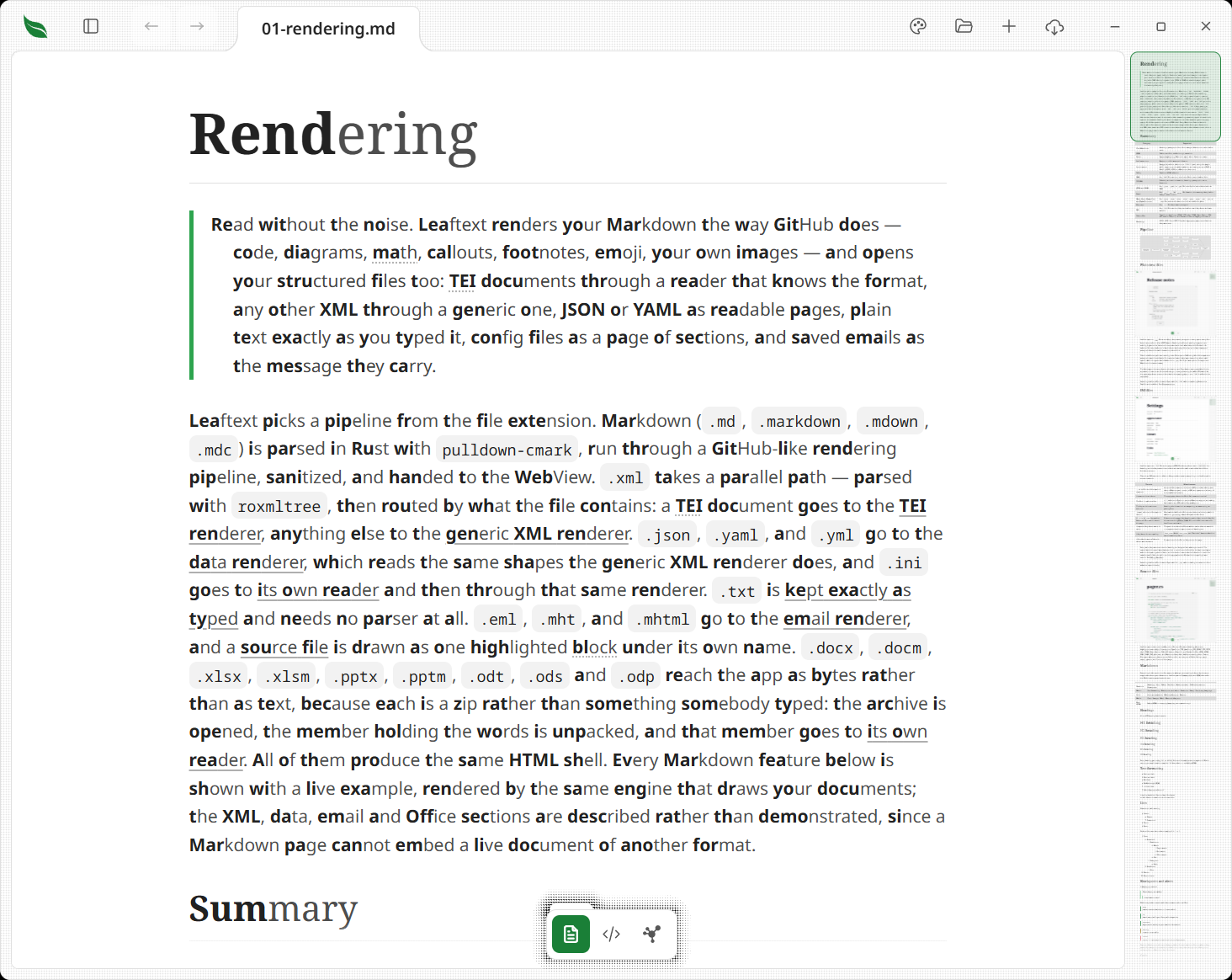
- Off by default, toggled from the reading view's toolbar
- Dims non-anchor prose text (including headings) so bold lead anchors carry the most contrast against the background
- Quiets links to the dimmed prose color with a faint underline, until hover or keyboard focus brightens them
- Regularizes existing bold text and adds bold lead anchors at word starts; all-caps acronyms (HTML, GFM) are bolded whole
- Leaves an HTML page drawn in its own frame exactly as its author wrote it, and the switch is not offered on one
- A way of reading and nothing more: an edit made with it on writes the words your file holds, never the anchors drawn over them
- Saved as
speed_reader_enabled
Typing help
- On by default, toggled with the wand on the code view's toolbar
- Monaco's IntelliSense, answered from your notes: suggests them after
[[, headings after#, previews a note on hover, and underlines broken links in the code view - Saved as
code_intel_enabled
Pager
- Always on. It is not a choice any more, and there is nothing to switch
- Appends a Previous / Next bar at the bottom of documents in a folder tree connected by
README.mdfiles - Nothing is saved: a
pager_enabledleft in an oldersettings.jsonis ignored and dropped on the next save
Updates
- Updating is not a setting. It always happens, and it means what it says: quit and reopen, and the app you get is the new one. There is nothing to click and nothing to switch off
- Every launch asks GitHub for the latest release, unthrottled — opening the app is when you expect it to know whether it is current. A window left open re-checks at most every six hours while active; returning from another app checks if that time has passed.
update_last_checkedrecords when it last did, so a long session does not spend requests against the rate limit - When a newer release exists, its installer downloads in the background — the same
.dmgor.exepublished for hand-installing, since a release carries nothing else. A download that arrives short or oversized is deleted rather than kept, and the digest of what did land is recorded so the installer can be re-checked before it runs - While it downloads, the bell wears a spinning ring, and the button under it carries a spinner and fills left to right with the percentage
- The next launch installs it, before any window opens. Windows cannot replace a running executable, so this is the one moment it can happen without interrupting anything: the app hands off to a detached helper, which waits for it to exit, installs, and starts the new version. No prompt — Leaftext installs per-user, which is what lets it replace itself without administrator rights
- Restart to update is still on the button for anyone who does not want to wait for the next launch
- Each staged version is installed automatically once.
update_auto_appliedrecords the attempt before the installer runs, so an installer that fails silently cannot be retried on every launch — that would be a boot loop. After one failed attempt the version waits for a deliberate click - An install that does not take says so. A failed install starts the version you already had, so the window that comes back is the window you left — the one thing you could not otherwise tell. The next launch shows a message naming the version that failed, why it failed, and the version you are still running. It appears once, on that launch and no other, and the reason is written to
journal.logas well so it can be quoted in a bug report - The updater speaks only where there is something to do. A check that found nothing, one that could not reach GitHub, one GitHub refused, and one that found a release with no file this copy can install yet all pass in silence — there is nothing for you to do about any of them, and the next check or launch takes a release once its file is there. What it shows is the download in progress, Restart to update, and the message above
- The bell is only in the app bar while there is news. No update, no bell — its presence is the message, and there is no control sitting there saying nothing
- A published site never checks. leaftext.com and Emptyguru have no installer to hand you, so their pages ask GitHub nothing
- The running version is printed at the foot of the home screen, so after a relaunch you can confirm which build is installed; Licenses beside it opens the notices of everything the app redistributes
- Saved as
update_last_checked,update_staged_version, andupdate_auto_applied
Only one staged installer is kept. Skipping several releases does not accumulate several downloads, and once an update is applied the folder is cleared.
Window size
- Opening the app puts up a small square window with the leaf and a turning ring in it, and that is what you meet while the page is still coming. It grows into your own window the moment the reader has something on it — the document it is opening, or the home screen where it opens none
- The leaf and the ring are drawn before any of the app's own code runs. They are part of the page rather than something built by it, so the window fetches the front end while that first frame is painted and runs it on the frame after — which is what turns the blank moment a launch used to open with into the card you actually see
- The window reopens on the same spot of the screen and at the size it had when it last closed, and maximized if it was maximized
- On Windows the page behind that small window is laid out at the size it is about to grow to, so the document is drawn once at the width you will read it at and the grow is the window opening rather than the document being laid out again. A long note reaches a window you can scroll as quickly as a short one
- The small launch window is never remembered as your size, and a copy closed while it was still loading comes back at the size you actually left
- Saved as
window_widthandwindow_height(in logical, DPI-independent pixels) pluswindow_maximized, and the top-left corner aswindow_xandwindow_y— screen pixels on Windows, points on a Mac - The size is stored separately from the maximized state, so un-maximizing returns to the windowed dimensions rather than the maximized ones
- A spot on a monitor that has since been unplugged, or one leaving too little of the window's top on any screen to grab it by, is not used: the window opens where the system puts it instead
- Full screen is not saved on either platform: a reopened window returns to its saved ordinary size or maximized state
Unsaved edits
- Closing the window with unsaved edits writes them here rather than discarding them, and the next launch puts them back in their tabs with the dot lit
- A note is saved on the tab as
unsaved_text(the words as they stood) andsaved_text(the same document as it was last written to disk), bothnullfor a tab with nothing unsaved. A book keeps each changed chapter inunsaved_members, with its chapter name, typed words and words as read from the book - The second is what the next launch compares the file against: matched, the words go back; changed underneath, the file wins and both are dropped; gone from the disk, the words come back as a note with no file wearing the name it had, since nothing is left to compare them with
- A new document with words in it is carried too, marked
untitledand with nosaved_text, since there is no file to compare against. It comes back as the note it was — the name it was wearing, its words, its dot, and its first save still asking where it goes — and a note nobody typed into is not written here at all - Only closing writes them. A window left open saves nothing of what you have typed, and what has been typed in the last fraction of a second before the close is not carried
First-launch bubble
- The bubble that points at the vault switcher shows once and then never again, so what has already been met is remembered here
- Saved as
hints_seen(the ones you have met),hint_launches(launches that had one to show) andhint_last_launch(the launch the last bubble showed at, which is what puts a quiet launch between two of them) - The pane's vault introduction is remembered in the same
hints_seenlist, though it is a box in the pane rather than a bubble - A launch with nothing to point at — the pane shut — is not counted, so it costs you nothing
- A sheet taking a bubble down writes nothing: the name stays out of
hints_seen, so the bubble returns when the last sheet closes and again on the next launch if it was never met - Emptying
hints_seenand setting both numbers to0puts the bubbles back
Reduce Motion
Leaftext follows your system's Reduce Motion setting. There is no control for it here, because the switch already exists in Windows Settings (Accessibility → Visual effects → Animation effects) and macOS System Settings (Accessibility → Display → Reduce motion), and it updates live — no restart.
With it on, nothing in the app slides, rises or fades. Panels, sheets, menus, the find bar and the tab strip all arrive in place, and a control you point at takes its highlight in one frame. Three things carry on, because stopping them would say something untrue:
- Spinners keep turning, more slowly. A still spinner reads as a hang, and the app is still working.
- A wide table's edge marks stay. They only move when you scroll the table, so they follow your hand rather than a clock.
- A loading placeholder stays dim. At full strength the gray bars read as text that has finished loading.
With it off, a panel arriving slows as it lands and one leaving is gone quicker, and a button, row or link you point at lights up over about a tenth of a second and goes dark the same way. A document or folder you open is on screen at once either way — see every destination arrives at once.
Journal
Leaftext keeps a plain text note of what it did, at {data_dir}/journal.log. It is written for bug reports: if something goes wrong, that file is what to attach.
- It holds what the app printed, the details of a crash, and a line for each GitHub sync that failed — nothing else
- Your writing is never in it. File paths are recorded, document text is not
- It stops at about a megabyte, at which point it becomes
journal.prev.logand a fresh one starts. That is two files, and it never grows past them - It is safe to delete, and it is not sent anywhere — nothing leaves your machine unless you attach it yourself
A run that ended without closing. Beside the journal sits an empty run.marker. Leaftext leaves it there when it opens and takes it away when it closes, so a marker still sitting there on the next launch means the run before it never got that far — it was ended from Task Manager, the machine went down, or it stopped on its own. That launch says so once, in the corner: Leaftext closed unexpectedly last time. The journal may say why.
- It says only that the last run did not close. It does not claim to know what happened, and it makes no promise about the tabs or the words that were open
- The journal beside it is where a reason would be if there is one, which is what the sentence points at. A crash the app noticed is in there; a machine that went down leaves nothing to write
- The marker holds nothing. It is a zero-byte file, and it is the same one every launch — nothing about your documents is in it, and it is safe to delete
- The notice is written to the journal as well, so it can be quoted in a bug report
- A launch with more than one thing to say says all of them, one after another in the same corner, each for its full eight seconds: the settings file that could not be read first, then the install that did not take, then this one. None of them is lost behind another. A message you asked for by pressing something takes the corner straight away and clears whatever was still waiting, so an answer to a gesture never arrives behind a launch notice
Paths
These per-app directories are derived from the app id com.ryanallen.leaftext:
- macOS:
config_dir=data_dir=~/Library/Application Support/com.ryanallen.leaftext - Windows:
config_dir=%APPDATA%\ryanallen\leaftext\config;data_dir=%LOCALAPPDATA%\ryanallen\leaftext\data
Both live inside your user profile, so Leaftext never needs administrator rights to run. They are also independent of where the app is installed — reinstalling or moving it keeps your settings, recent files, and vaults.